This is a little break from the normal “format” of WebUrbEx dev posts, and some of this isn’t really in the game, but I’d like to briefly talk about using lossy and destructive processes to finish off artistic stuff both for and not for WebUrbEx
Crush and Index
One technique I’ve been using a lot in WEX is crushing an image to a fraction of the original size and then indexing it to web colours. This has largely been in the backgrounds as a way to hide my own artistic limits/laziness making these and hide the fact I’m using Krita brushes that probably didn’t exist back in 2000 because Krita came out much later. I’ve been looking into using a more era appropriate art program for future paintings.


Gif layers in GIMP
Ah GIMP, the worst art program except for all the others. I can image musegroup showing up and buying it out, filling it full of spyware but at least putting in a spiffy new UI. Anyway GIMP is pretty helpful because it reads GIF files as a series of layers (fair enough I suppose?), meaning if you apply a filter or an operation to the whole image it starts messing with what each frame changes (or doesn’t change) from the last frame. suffice to say this can have some pretty cool artefacting, and allow some artefacts to bleed between frames. There are probably better workflows than this but GIMP is just really good at making bad/scuffed/cursed art.

I’ve been working on some BTS tools for creating hidden content for WebUrbEx (decoding them will be a puzzle for the community) and I was working on some fake ads for the WEX Site, so I decided to make a 00s-western-anime-dating-flash-game inspired gif/art to both serve as one of the ads and have a frame from it be the lovingly shameless anime art banner that shows up on a program that pretty much only me will ever use, for that kinda 00s/10s weirdly specific FOSS tool aesthetic.


I made this animation with Krita’s motion and opacity tweening (several times because it kept breaking) before scaling and posterising it in gimp.
As all the layers together looked pretty cool in gimp with the various animation artefacts adding “shading” to the character, I also exported that as a PNG.
Translator’s Note: Nisehon, I believe, badly translates from “fake book”, to imply this is a fraudulent visual novel.
Agressive JPEG compression
not much to say here. you see it you love it, it’s bad and good. Like I’ve mentioned I’ve been using it in WEX for making Journey look like those really early bob & george strips before they were remade in png.
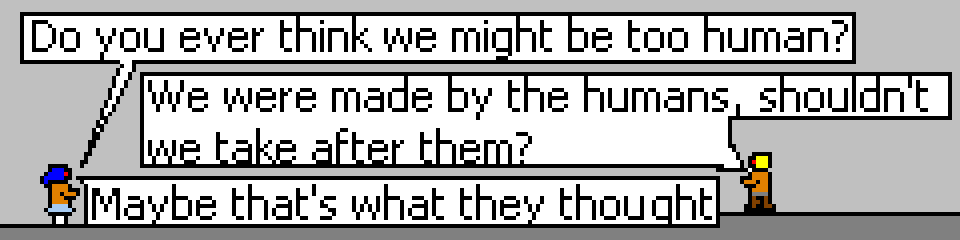


This was saved on my computer under the title “meme garbage”. I think I actually ended up going with a less compressed version of this.
Analog Degredation/Generational Loss
Ananlog signals are imperfect. It’s why digital/optical mediums were such a big deal for piracy: tapes copied or recorded off the radio sound and look worse than the original because it’s copying the output rather than the original data. if you want the best quality, copy that floppy. As I don’t want the best quality here’s an image I ran through a VHS tape. the actual recording has a nice comfortable shifting fuzz to it but on an individual frame it just looks like normal compression.

I have some plans to utilise tapes in WEX but not for this.
Garbage In…
A while ago (back when I was on facebook) I did a series of art ideas using my old phone’s smudged, blurred and broken camera to take a series of photographs. I imagine I’ll do something similar for weburbex at some point: using bad cameras so that images are just… bad.


So yeah that’s a run down of some of the fun methods of image degredation I’ve been using over the years.
-Matt